$36.12
$59.96
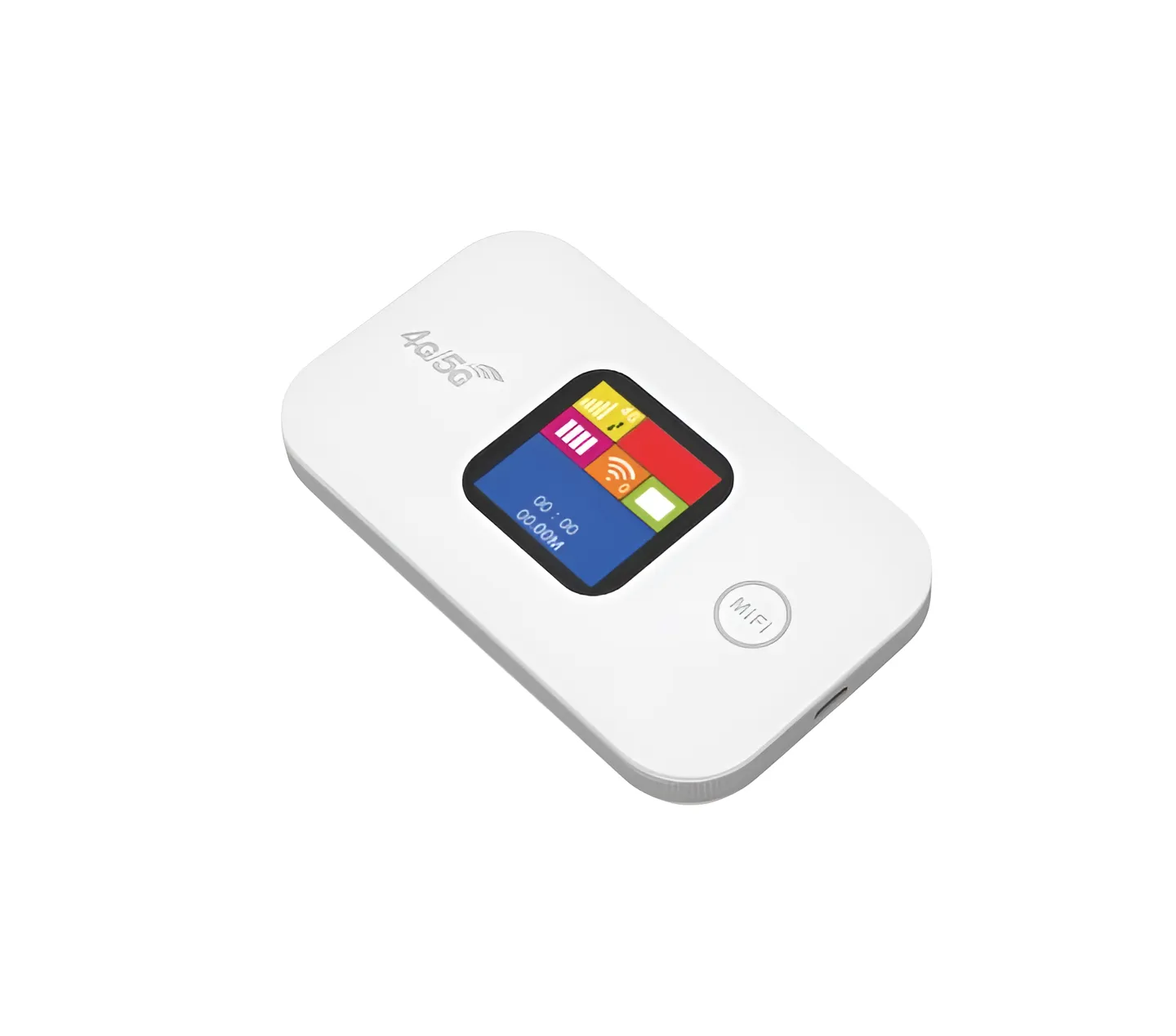
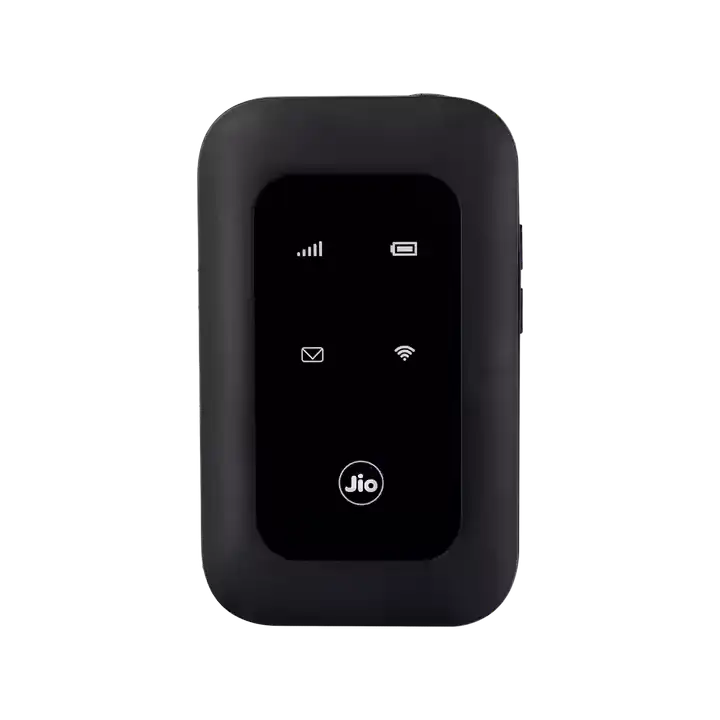
JioFi MF680S OEM 4G LTE Pocket WiFi Mobile Hotspot Router Create your own portable WiFi hotspot anywhere with the JioFi MF680S 4G LTE Mobile Hotspot Router in Bangladesh. This compact, portable device converts a 4G SIM card into a shared WiFi network for up to 8 users, providing reliable internet on the go. With a built-in 2100mAh battery for hours of backup, Type-C charging, and support for multiple 4G bands used across Asia, it’s the perfect solution for travel, remote work, and backup connectivity in Dhaka and throughout Bangladesh. Key Features Portable 4G LTE WiFi Hotspot Get internet anywhere you have a cellular signal. Simply insert an active 4G SIM card, and the device creates an instant WiFi network (802.11n) with speeds up to 150Mbps, providing shared internet for smartphones, laptops, and tablets. Long-Lasting 2100mAh Battery Stay connected for hours without a power outlet. The integrated 2100mAh rechargeable battery offers extended usage time, making it ideal for travel, outdoor work, or as a backup during load-shedding or home broadband outages. Connect Up to 8 Devices Simultaneously Share your connection seamlessly. The router supports up to 8 WiFi-enabled devices at the same time, perfect for small groups, families on the move, or connecting all your personal gadgets. Modern Type-C Charging Port Enjoy convenient and faster recharging. Equipped with a USB Type-C port, it simplifies charging with a reversible connector and allows for quicker power top-ups compared to older Micro-USB standards. Wide 4G Band Support for Asia & Africa Designed for regional compatibility. It supports key 4G FDD bands (1, 3, 5, 8) and TDD bands (38, 39, 40, 41), ensuring strong connectivity with major network operators across Bangladesh, India, and other Asian and African countries. Compact, Pocket-Sized Design Take your internet in your pocket. With dimensions of just 98x59x15 mm and a weight of only 80g, it’s incredibly portable and can easily fit in any bag or pocket for true on-the-go connectivity. Simple Plug-and-Play Setup Get online in minutes. No complex installation is required. Insert the SIM, power on the device, find the WiFi network name (SSID) and password (on the device screen or label), and connect. Technical Specifications Feature Specification Model MF680S (OEM JioFi) Network 4G LTE / 3G WiFi Standard 802.11n (2.4 GHz) Battery 2100mAh, Type-C Charging User Limit Up to 8 Devices SIM Slot Single 4G SIM Ports Type-C (Power), Reset Button Key Feature Portable Personal Hotspot Why Choose JioFi MF680S 4G LTE Mobile Hotspot Router? In a country where reliable, portable internet is essential, this device offers a versatile and affordable solution. Essential Backup During Load-Shedding: Keep your home office or small shop online when the main power and broadband go out. The built-in battery provides crucial backup connectivity. Perfect for Travel & Remote Work: Whether you’re traveling between cities, working from a remote location, or need internet in a temporary rental, this router gives you your own private, portable WiFi. Cost-Effective Multi-Device Sharing: Instead of buying mobile data for each family member’s phone, use one high-volume data SIM in this router to provide internet for everyone’s devices at home or on a trip. Ideal for Specific Users: Students & Travelers: Ideal for hostel rooms, co-living spaces, and trips where WiFi is unreliable or expensive. Freelancers & Remote Workers: A reliable backup or primary internet source for critical video calls and work outside the office. Small Shop Owners: Provide customer WiFi or maintain digital payments during broadband outages. Where to Buy JioFi MF680S 4G Pocket Router in Bangladesh Get the JioFi MF680S 4G LTE Mobile Hotspot Router at the best price in Bangladesh exclusively from our trusted partner: jontrobazar.com Cash on Delivery (COD) all over Bangladesh Fastest Delivery in Dhaka, Chittagong, Rajshahi, & other major cities Home Delivery across the country 100% Original Product with 12-Month Warranty [Click Here to Order Your 4G Pocket WiFi Router Today!] User Tips Choosing a SIM Card: For the best speed, use a 4G LTE SIM card from a provider with strong coverage in your area. Prepaid data packs with high volume are ideal for this device. Maximizing Battery Life: When using it as a stationary backup, you can keep it plugged in via the Type-C cable to preserve battery cycles. The device can operate while charging. Optimizing Placement: For the best signal, place the router near a window or in a central location. The internal antenna works best with a clear line of sight to the cellular tower. Securing Your Network: Always change the default WiFi password (WPA2-PSK) after first setup to prevent unauthorized access to your data connection. Frequently Asked Questions (FAQ) Q1: Which mobile operators’ SIM cards will work in Bangladesh? A: It will work with any Bangladeshi operator’s 4G SIM (Grameenphone, Robi, Banglalink, Teletalk) that operates on the supported bands (Band 3, Band 5, Band 40 are common in Bangladesh). Check your operator’s specific 4G bands for compatibility. Q2: Can I use it while charging? A: Yes, you can use the router while it is plugged in and charging via the Type-C port. Q3: What is the actual internet speed I can expect? A: Speeds depend entirely on your SIM card’s 4G network strength and data plan. Under good signal conditions, you can expect speeds suitable for HD video streaming, video calls, and browsing on multiple devices. Q4: How do I access the router settings? A: Typically, you can access the web-based management interface by connecting to its WiFi and entering a default IP address (like 192.168.1.1 or 192.168.0.1) into a web browser. The login details are usually found on a label on the device. Q5: What is the warranty policy? A: This product comes with a 12-month warranty when purchased from jontrobazar.com. Please keep your invoice for any warranty claims.
Computer Gadgets